
[FIBRE · REAL WORLD]
This post is for anyone who’s ever been told “it’s just fibre” and then watched it somehow derail a job for an entire day.
Summary
- Most fibre issues aren’t “technical”, they’re planning gaps, missing info, and small checks being skipped.
- Fibre mistakes hurt more because there are usually only a few certified people on site and their time is booked/costed.
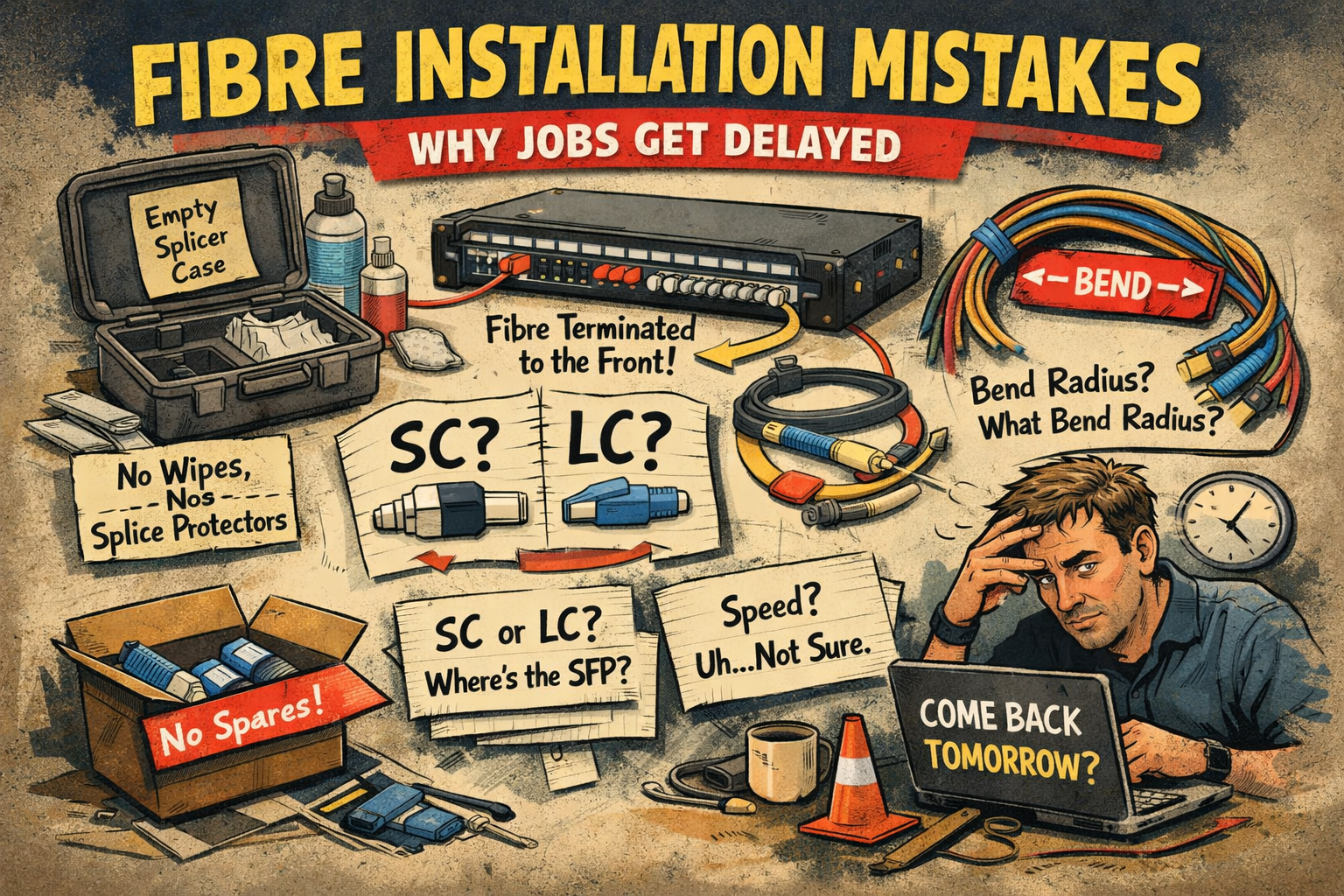
- Common killers: missing consumables, no spares, wrong connectors (SC vs LC), bend radius abuse, and patch panel layout mistakes.
- The biggest underlying issue: nobody confirms device ports, SFP requirements, or link speeds early enough.
- A boring checklist beats a heroic recovery mission when the fibre installer has already left site.
Common Fibre Installation Mistakes I Keep Seeing
Most fibre installation problems aren’t caused by people not knowing what they’re doing.
They’re usually caused by missing information, assumptions being made early on, and fibre work being treated as something that will “just slot in” alongside the rest of the job.
It usually does, right up until it doesn’t.
What makes fibre mistakes worse: there are often only one or two people on site who are actually certified to do the work. Their time is limited, planned in advance, and costed for.
So when fibre work slips, it doesn’t just slow things down. It tends to stop things completely — and it rarely looks good on site.
Yes, most fibre parts are next day. But “we’ll need to come back tomorrow” isn’t exactly a confidence booster.
Fibre Work Tends to Be Underplanned
In my experience, fibre installations are rarely planned to the same level of detail as electrical cable installations.
- With electrical work, it’s usually clear what’s being used, where it’s terminating, and what “finished” looks like.
- With fibre, key details are often left vague until much later, connector types get assumed, device interfaces aren’t confirmed, and speeds are “TBC”.
Fibre isn’t hard. It’s just unforgiving when the basics aren’t nailed down early.
Where It Goes Wrong (In Real Life)
Mistake #1 – Consumables Not Ordered (or Assumed to Be on Site)
This one comes up a lot.
Fibre wipes, cleaning fluid, or splice protectors either aren’t ordered at all, or are ordered with no margin.
A common assumption seems to be that:
- there will be some left in the splicer box
- the last installer probably left a few behind
- or someone else will have taken care of it
Consequence:
- job stalls mid-way
- people wait around awkwardly
- you order parts next day and lose a day of progress (and credibility)
In reality, consumables get used up, taken to the next job, or quietly disappear. Turning up and hoping they’re already there is optimistic at best.
Mistake #2 – No Allowance for Damaged Terminations
I regularly see fibre jobs where the exact number of pigtails/patch leads is ordered and everything is expected to go perfectly.
It rarely does.
- cleaves aren’t always clean
- connectors get contaminated
- people rush when time on site is tight
Consequence:
- no spares = delay
- delay usually means “tomorrow”
- and fibre work tends to be the thing everyone remembers going wrong
Even experienced, certified installers damage fibres occasionally. Ordering zero spares doesn’t save money, it just shifts the problem to the next day.
Mistake #3 – Fibre Terminated to the Front of a 19″ Patch Panel
I’ve seen fibre field cables terminated directly to the front of 19″ patch panels.
In most setups, fibre is meant to be terminated at the rear of the panel, leaving the front ports free for patch leads. That’s the whole point of using a patch panel.
Consequence:
- patching becomes awkward or impossible
- flexibility disappears
- someone spots it later and you get rework
The fibre might be terminated, but the panel isn’t really usable.
Mistake #4 – Connector Types Misidentified (SC vs LC)
This is less about skill and more about information.
I still see fibre described as SC when it turns out to be LC (and vice versa), or assumed to be LC because “that’s what we normally use”.
Consequence:
- patch leads don’t fit
- testing can’t be done
- you discover it at the worst possible time
Connector type should never be a surprise, but it often is.
Mistake #5 – Bend Radius Ignored Inside Cabinets
Even on otherwise tidy installs, fibre patch leads often end up bent tightly against cabinet sides, pressed against doors, or dressed in a way that clearly ignores minimum bend radius.
Consequence:
- works initially (the most dangerous kind of “fine”)
- becomes intermittent later
- gets blamed on “bad fibre” instead of the cabinet dressing
The Big Root Cause: Missing Device Information
This is probably my biggest gripe.
People are asked to specify fibre, order parts, and plan terminations, but aren’t told:
- whether the device has built-in fibre ports
- what connector type those ports use (SC/LC)
- whether SFP modules are required
- what link speed is actually needed (1G, 10G, etc.)
You can’t “just order the parts” if nobody confirms what the device actually needs.
Without this information, everything downstream becomes guesswork and fibre isn’t very forgiving of guesswork.
Speeds Defined Too Late
Closely related to the above: link speeds often stay vague until late in the job.
I’ve seen fibre installed before speeds were confirmed, optics were agreed, or future expansion was considered. Later on, it turns out:
- the installed fibre doesn’t support the required speed
- the optics don’t match the fibre
- assumptions made early can’t be changed without rework
Nothing here is exotic. It’s just decisions being made too late.
A Quick Note on Tools and Guidance
Fibre guidance tools (including the one on this site) are useful for narrowing options, sanity checking decisions, and avoiding obvious mismatches.
They can’t replace missing project information.
If device interfaces, connector types, and link speeds aren’t defined, no tool can reliably fill in the gaps.
What To Do Instead (So You Don’t Lose a Day)
Most fibre issues don’t come from incompetence. They come from assumptions, missing details, and checks being skipped because time on site is limited.
I’ve pulled together a short fibre installation & acceptance checklist based on the kinds of problems above.
- Consumables and spares: wipes, fluid, splice protectors, pigtail allowance.
- Connector identification: stop guessing SC vs LC at patch time.
- Patch panel layout: rear termination where applicable, front ports kept usable.
- Cabinet dressing: bend radius and clearance checks.
- Testing and handover: clear results, clear labels, fewer arguments.
£9 · PDF · 7 pages
Download the fibre checklist
Provided for guidance only — not a substitute for formal design approval or certification.
Final Thought
Fibre installations usually go smoothly when they’re planned properly.
When they aren’t, small oversights tend to cost time, money, and credibility, mostly because the people who can fix them aren’t always available the same day.
None of this is complicated. It just needs to be thought about a bit earlier.
Which is boring. But boring is usually where the wins are.
If you’ve seen any of these (or worse), feel free to share this with the person who keeps saying “it’s just fibre”.




Leave a Reply